shadows and light

home

“Study nature, love nature, stay close to nature. It will never fail you.”

Frank Lloyd Wright

Jaisalmer, India, 2009

»»  about

gallery

saturday, 4 march 2023

it’s rare to have an entry here. But 2023 appears to be a year of changes.

This all started innocently in 2022 with the acquisition of a Supernote A5X.. the intent, to delve deeper into digital journaling—eink reading being a primary driver for that thought. After a lifetime in technology i find myself gravitating towards the analogue despite my involvement with keyboards and optimizing their layouts for typing. And strangely, digital handwriting has rekindled my love of using fountain pens—i’ve never strayed from them for note taking, but journaling feels more complete with a “real” pen and paper or note book (as amazing as the eink technology of the Supernote represents—more on that later and how it will integrate into this site’s workflow.)

Recent software updates reminded me of the need to upgrade the VPS this site rests on.. an so a migration from a long unsupported Debian Linux release to Alpine Linux—here as well as the home base where Void Linux had previously served me well. Finally one distro to rule them all—the computers i dally with. More on that radical switch later.

Then there is the reorganization of a lot of the material posted that originally resided in colophon—it must have been strange for people perusing this site for information on keyboards and typography to be situated in that corner of the site normally reserved for a basic description of a site’s construction (even if fonts have played an important role in this site’s evolution). But honestly, the road traveled was never planned—these interests just morphed into deeper explorations at the time.

colophon articles were becoming a substantial portion of the site and with the slow personal transition to all things analogue, it feels appropriate to move the interest in eink usage of which the past years have been focused on dyslexic fonts to this corner of the site. So colophon will remain more hardware and technically oriented.

The changes are exciting.. though, in all honesty, they may result in even more diminished activity on this site! Reading and writing are satisfyingly complete activities. A sign perhaps of my age..

comment ?

koreader manta settings

wednesday, 24 december 2025

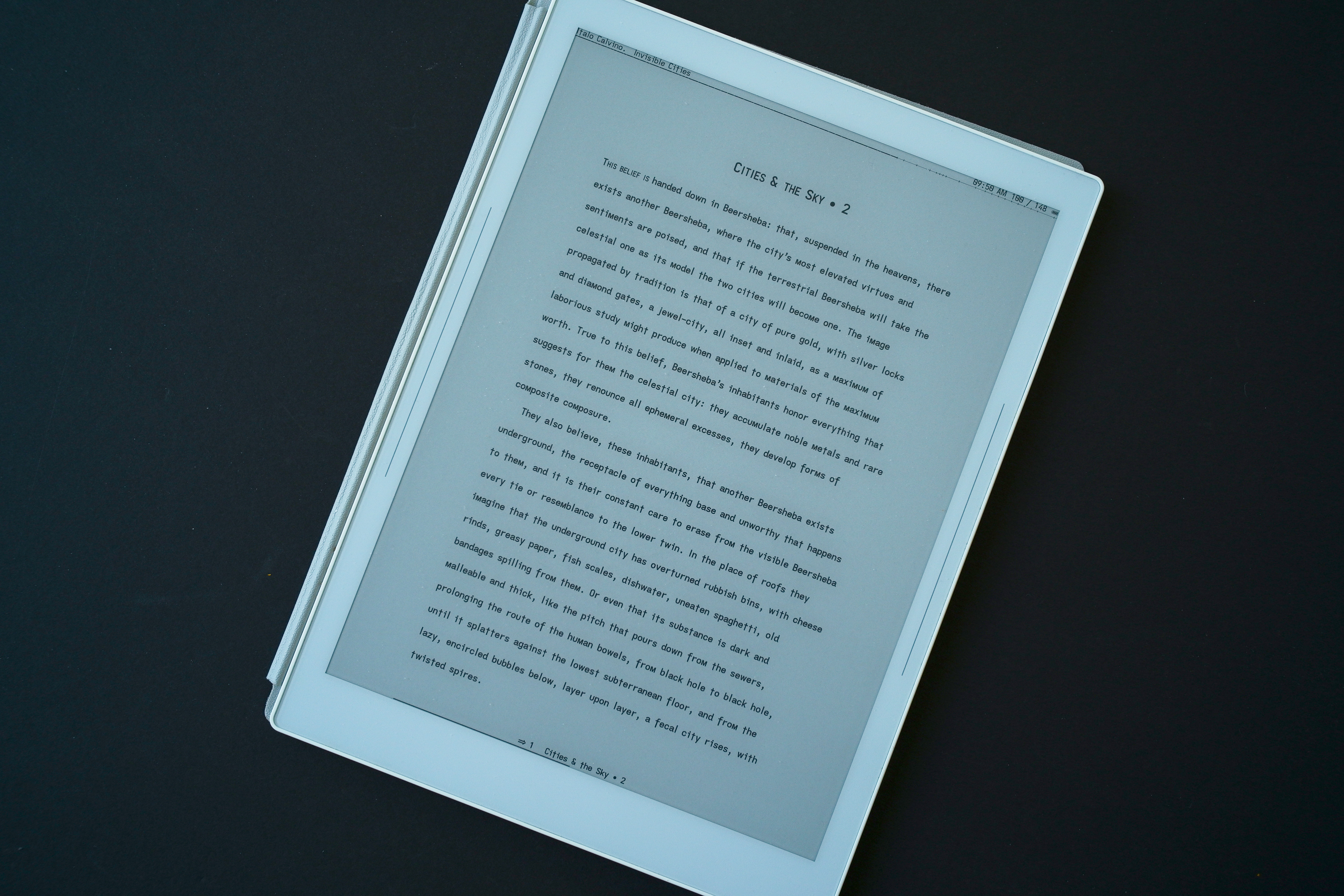
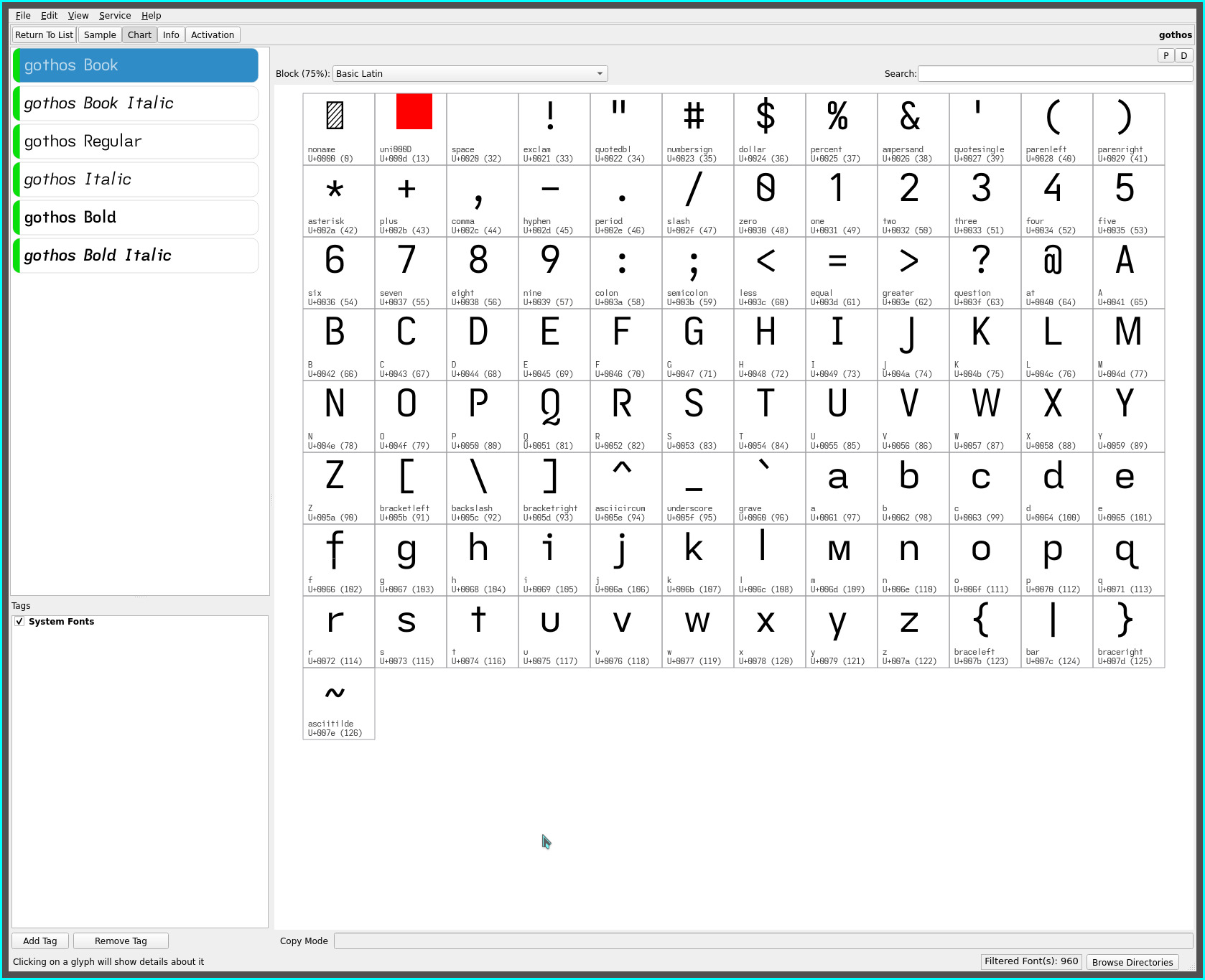
with the advent of the singspiel font and almost a dedicated year of reading on the Supernote Manta, the koreader settings originally published have long been due for an update to reflect the evolved Manta eink specific settings.

The most significant impact from the original Manta settings is merely the ripple down effect of manually setting the display resolution (versus auto-detect)—which was done simply to reduce the font size of the system menus—upon the document layout settings (font size, margins, etc.).

Only the current reading profile or layout is described. Such settings are purely personal in nature and will differ for everyone’s visual aesthetic and eyesight acuity—i happen to prefer a draft or “proof” layout with double line spacing for maximum readability and ease of line scanning.

KOReader in singspiel

NOTE: layout font size, spacing and margins since changed.

(top) typesetting menu

style tweaks > pages & margins > ignore publisher page margins style tweaks > pages & margins > vertical margins > ignore all vertical margins style tweaks > pages & margins > windows & orphans > ignore publisher orphan & window rules style tweaks > text > text alignment > justify most text style tweaks > text > font size & families > ignore publisher font families style tweaks > text > font size & families > reset main text font size style tweaks > text > line heights > ignore publisher line heights font > singspiel typography rules > typography rules > book language: en-US typography rules > respect embedded lang tags typography rules > hyphenation > hyphenation dictionary > enable hyphenation typography rules > hyphenation > hyphenation dictionary > hyphenation dictionary: english (US) highlights > invert highlights > highlight line height: 40%

(top) settings menu

screen DPI > custom DPI: 300 eink settings > flash buttons & menu items eink settings > flash keyboard eink settings > avoid mandatory black flashes in UI taps & gestures > gesture manager > tap corner > top left > screen & lights > toggle night mode taps & gestures > gesture manager > tap corner > top right > toggle bookmark taps & gestures > gesture manager > tap corner > bottom left > reader > fulltext search taps & gestures > gesture manager > tap corner > bottom right > general > {primary saved profile} taps & gestures > gesture manager > long-press on corner > top left > reader > book map taps & gestures > gesture manager > long-press on corner > top right > reader > bookmarks taps & gestures > gesture manager > long-press on corner > bottom left > general > open vocabulary builder taps & gestures > gesture manager > long-press on corner > bottom right > general > history taps & gestures > gesture manager > one-finger swipe > top edge right > reader > table of contents taps & gestures > gesture manager > one-finger swipe > top edge left > general > calibre metadata search taps & gestures > gesture manager > one-finger swipe > bottom edge right > reader > forward to next location taps & gestures > gesture manager > one-finger swipe > bottom edge left > reader > back to previous location taps & gestures > gesture manager > double tap > top left > reader > page browser taps & gestures > gesture manager > double tap > top right > reader > book description taps & gestures > gesture manager > double tap > device > toggle Wi-Fi taps & gestures > gesture manager > double tap > general > {secondary saved profile} status bar > alt status bar > auto refresh status bar > alt status bar > book title status bar > alt status bar > book author status bar > alt status bar > current time status bar > alt status bar > current page status bar > alt status bar > total pages status bar > alt status bar > chapter marks status bar > alt status bar > battery status icon > battery icon status bar > alt status bar > font size: 27 status bar > progress bar > show progress bar status bar > progress bar > show chapter-progress bar instead status bar > progress bar > position > below items status bar > progress bar > thickness & height > thin status bar > progress bar > thickness & height > height: 1 status bar > progress bar > margins > same as book margins status bar > status bar items > pages lest in chapter status bar > status bar items > Wi-Fi status status bar > status bar items > page turning inverted status bar > status bar items > chapter title status bar > configure items > show all items at once status bar > configure items > auto refresh items status bar > configure items > hide inactive items status bar > configure items > hide battery item when higher than: 100% status bar > configure items > item font > item font size: 11 status bar > configure items > item font > items in bold status bar > configure items > item symbols > icons status bar > configure items > item separator > vertical bar status bar > configure items > item max width > book-author item: 100% status bar > configure items > item max width > boot-title item: 100% status bar > configure items > item max width > chapter-title item: 100% status bar > configure items > alignment > center status bar > configure items > height: 10 status bar > configure items > bottom margin: 3 status bar > lock status bar status bar > long press on status bar to skim

(bottom) margins menu

L/R margins > left: 120 L/R margins > right: 120 sync T/B margins: off top margin: 40 bottom margin: 31

(bottom) page menu

line spacing: 226%

(bottom) text menu

font size: 11.5 word spacing > scaling: 100% word spacing > reduction: 100%

(bottom) font menu

contrast: 2.3 font weight: 1.50

(bottom) settings menu

alt status bar: on embedded style: on embedded fonts: off image scaling: best

user patches

to complete the layout to..

  • apply the singspiel font to the alt status bar
  • apply the singspiel font to the status bar
  • apply the singspiel font to the system menus
  • increase the status bar item separation

refer to the original manta/koreader writeup on user patches for layout and UI behavioural tweaks.

touch zones

the touch zones defined in the defaults.custom.lua file have also been changed to reflect the move to swiping for menu access versus tapping (to avoid inadvertent tap gesture actions)..

return { DTAP_ZONE_MENU = { x = 0, y = 0, h = 0.06, w = 1 },---top menu bar DTAP_ZONE_MENU_EXT = { x = 0, y = 0, h = 0.20, w = 1 }, DTAP_ZONE_CONFIG = { x = 0, y = 0.94, h = 0.06, w = 1 },---bottom layout bar DTAP_ZONE_CONFIG_EXT = { x = 0, y = 0.80, h = 0.20, w = 1 }, DTAP_ZONE_FORWARD = { x = 0.045, y = 0, h = 1, w = 0.955 },---page advance edge DTAP_ZONE_BACKWARD = { x = 0, y = 0, h = 1, w = 0.045 }, DTAP_ZONE_TOP_LEFT = { x = 0, y = 0, h = 0.06, w = 0.05 },---long press corners DTAP_ZONE_TOP_RIGHT = { x = 0.95, y = 0, h = 0.06, w = 0.05 }, DTAP_ZONE_BOTTOM_LEFT = { x = 0, y = 0.95, h = 0.05, w = 0.05 }, }

a recent plugin has become available to disable menus which allows removal of seldom used menu items, significantly reducing the menu “noise” (of KOReader’s overwhelming configurability for novices) whilst permitting more focused menu displays.

Refer to the menu_disabler_profiles.lua file in the repos (which may be loaded and subsequently modified as required). This profile is tuned for primarily for altering the page layout of ebooks. Access to (adding) other needed options is easily re-enabled via the plugin interface from the tools menu.

repos

Refer to the supernote folder in the dotfiles for the patches and the raw lua settings.

comment ?